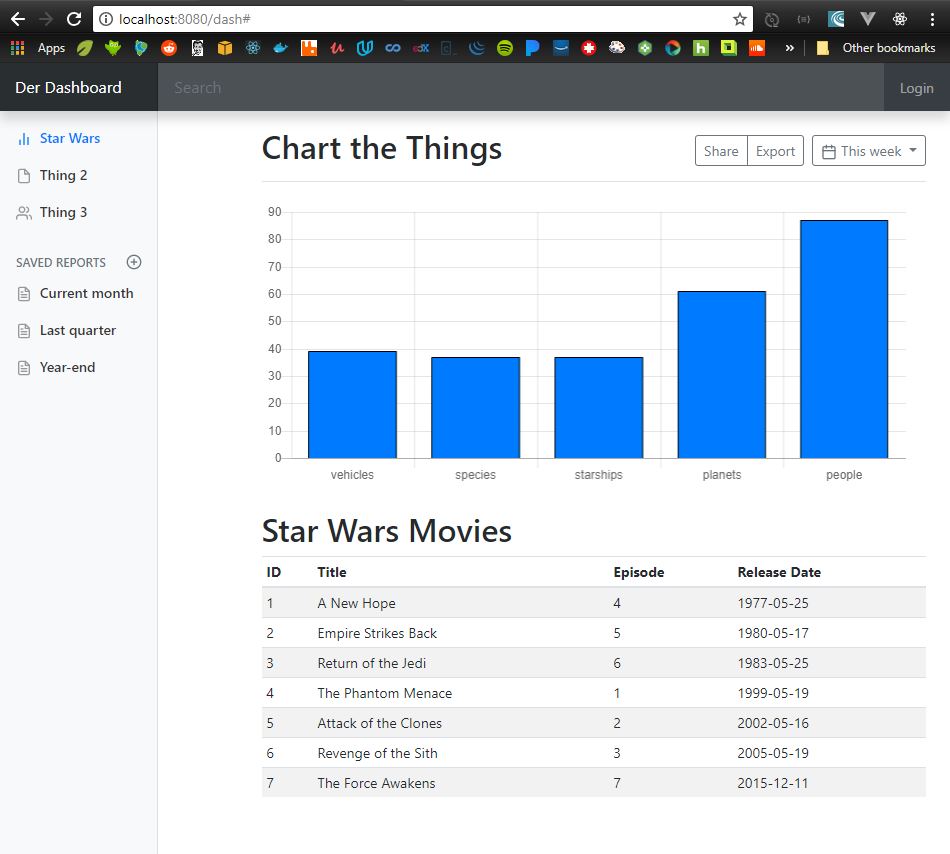
Bootstrap Dashboard
Warning: There’s nothing groundbreaking about this post.
I have a handful of new web apps to build at my big, enterprisey job. At home, I have been playing with vue and react for the last year or two, but at work, we build front-ends with bootstrap/thymeleaf/spring. I rarely code at work, but when I do, it’s usually back-end. I have never even built a greenfield app with that stack. Figured I’d play with it at home to get up to speed.
I took a few notes in what became a lesson on how to steal from your neighbor, so I am publishing them here.
First, a mock
I slapped together a representation of a basic dashboard that provides some menu and search options, and displays some stats pulled from a server.

…later, when I went to steal some code from bootstrap’s site, I found a dashboard that was almost identical to what I mocked. That just shows how cliche and lame the interweb has become now that developers are just stealing stuff from each other.
Build the front-end
I always start with the backend; you know, get the services talking, get the database going, and so on. Basically, I work in just text for a long time and then worry about the screen later. Since the whole point is to actually get up to speed on the front-end though, I will start with html & bootstrap.
Steal from your neighbor
Since I don’t have any bootstrap/thymeleaf templates in my toolbox yet, I just went to the bootstrap website and found an example of a dashboard. …actually, I found an example that was basically identical to my mock.
That’s good anecdotal proof of just how lame the interweb is becoming as more and more knuckleheads steal each others code. For the sake of making the internet a better place, and making your code your own, stealing from your neighbor is fine. But, modify it, refine it, make it fit your needs, and then put your version in your own toolbox. Eventually, you’ll have your own set of templates and won’t have to rely on somebody else’s.
[One more thought on this cut/paste approach… plagiarism is very common among developers, but that doesn’t mean it’s OK. Sure, steal someone else’s code, but give them some credit if you leave it as a true cut/paste. And, remember, plagiarism is the root-cause in a lot of the bugs/shite you see in the wild, so never just assume that what your neighbor wrote is actually worth copying.]
Anyway, here’s the bootstrap examples page, and here’s the dashboard I’m going to start with…
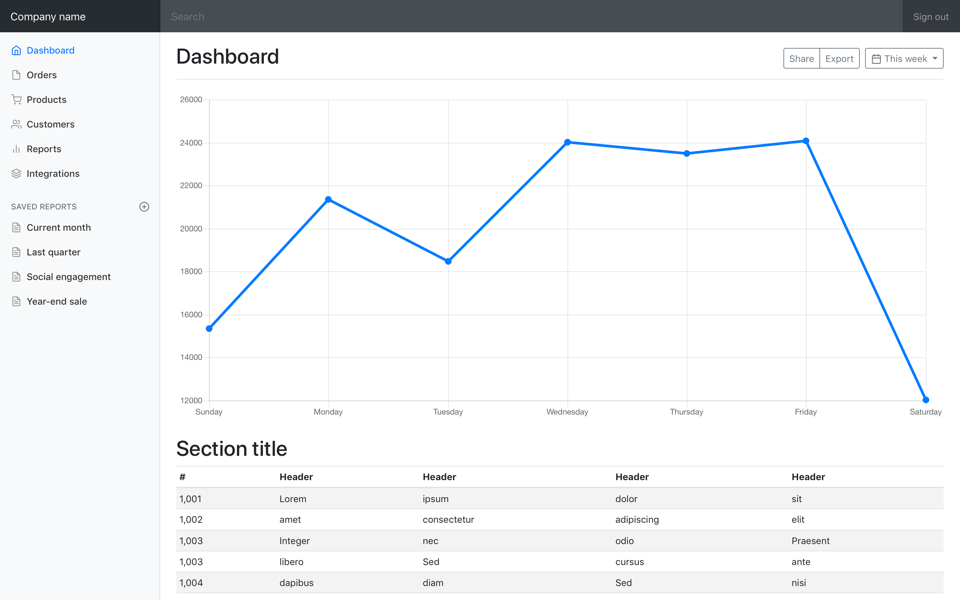
Click the download button, navigate to ../bootstrap.4.1.1/docs/examples/dashboard in the downloaded file, and copy the files you need into your directory. I took dashboard.css and index.html.
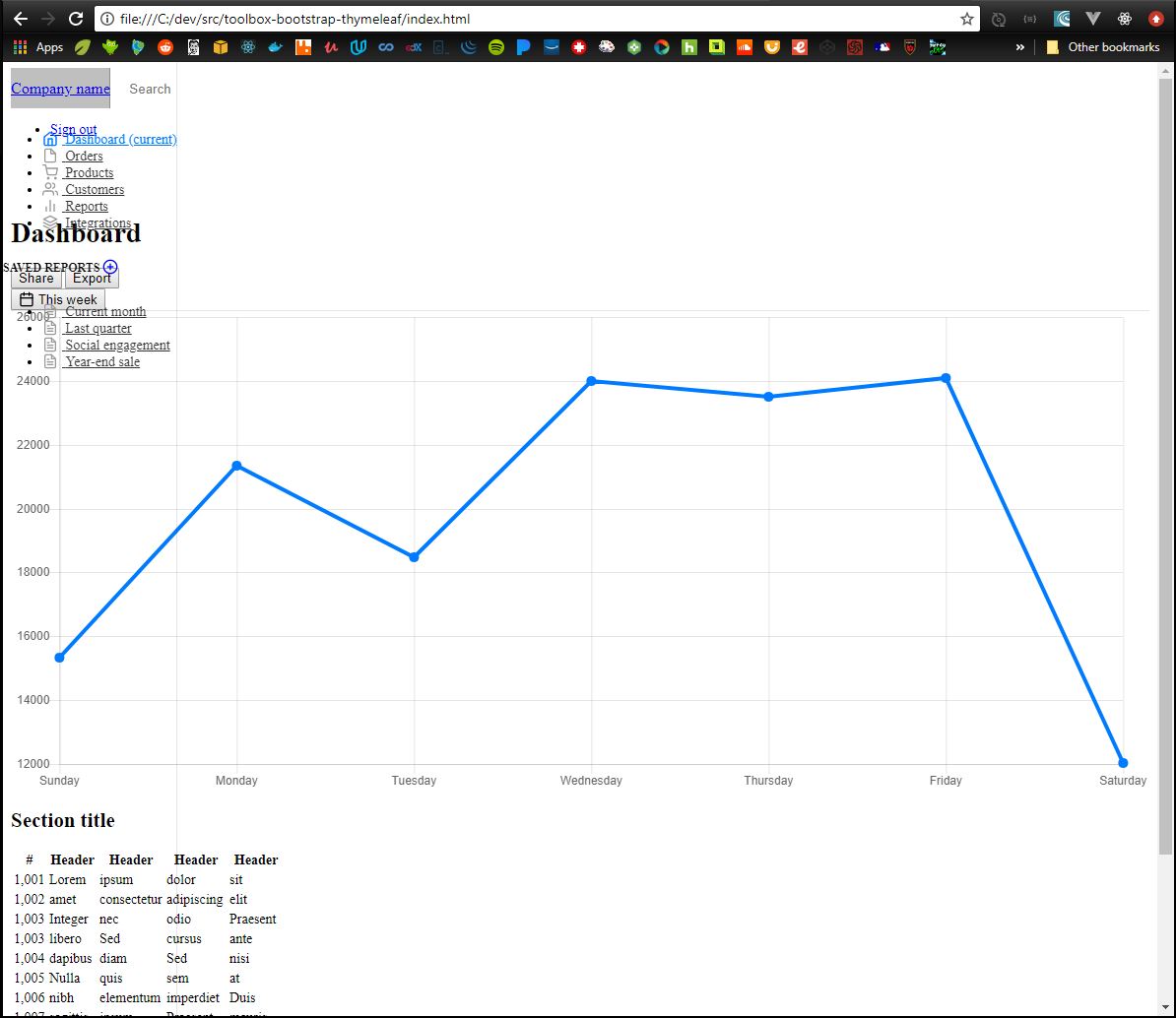
Open up the index.html in a browser, and we see this. Ugh. Looks like
the html is all there, but it’s not getting styled like we expected.
Since I’m using Spring and Thymeleaf, getting the links to css/js files to work is just a matter of putting your files in the right directory structure, and then making a simple reference in your html.
Here’s a peak at my final project structure (sorry, I didn’t take a ton of screenshots while working through this).

And here’s how I reference the js/css files in my html.
 …
…
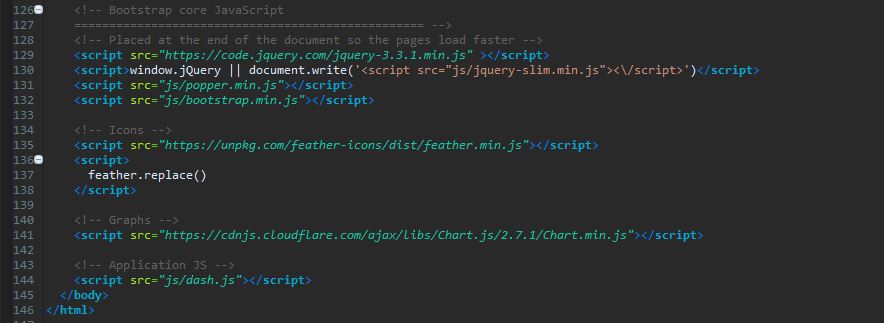
Refreshed the browser, and Irma Gird, it’s beautiful now.

Add some real data
Today’s data is brought to you by the makers of SWAPI.
If you’ve not heard of this site, go there immediately.
Since discovering this site a few years ago, it has become my go-to RESTful test api, but it is way more than that, it’s actually just fun to dig through.
I will do the “Chart the Things” section by hitting the swapi api with jQuery ajax and will plot some of the returned datapoints using Chart.js. The “Table the Things” section’s data will come from a skeleton Spring Boot app; the data will be plugged into the chart using Thymeleaf.
Get counts from swapi with ajax on doc ready and chart it
$(document).ready(function() {

	getSwapiData('planets'  )
	getSwapiData('species'  )
	getSwapiData('people'   )
	getSwapiData('starships')
	getSwapiData('vehicles' )

})

var chartData = {
	  labels: [],
	  datasets: [
		  {
			  data: [],
			  lineTension: 0,
			  backgroundColor: '#007bff',
			  borderColor: '#000000',
			  borderWidth: 1,
			  pointBackgroundColor: '#007bff'
	      }
	  ]
}

var chartOptions = {
		scales: {
			yAxes: [{
				ticks: {
					beginAtZero: true
				}
			}]
		},
		legend: {
			display: false,
		}
}

var ctx = document.getElementById("myChart")

var myChart = new Chart(ctx, {
	type: "bar",
	data: chartData,
	options: chartOptions
})


// from www.chartsjs.org/docs
function addChartDatapoint(chart, dataobj) {
	chart.data.labels.push(dataobj.thing)
	chart.data.datasets.forEach((dataset) => {
		dataset.data.push(dataobj.count)
	})
	chart.update()
}

// from www.chartsjs.org/docs
function delChartDatapoint(chart) {
	chart.data.labels.pop();
	chart.data.datasets.forEach((dataset) => {
		dataset.data.pop()
	})
	chart.upate()
}

//this is kinda clumsy
function getSwapiData(thing) {

	let url = 'https://swapi.co/api/' + thing
	$.getJSON(url)
	 .done(function(data) {
		 console.log(data)
		 let retObj={}
		 retObj.thing = thing
		 retObj.count = data.count
		 addChartDatapoint(myChart, retObj)
		 return retObj
	 })
	 .fail(function(data) {
		 console.log(data)
		 return 0
	 })

}
Spring controller returns hard-coded movie data
package com.scotthensen.toolbox.dash;

import java.util.Arrays;
import java.util.List;

import org.springframework.stereotype.Controller;
import org.springframework.ui.Model;
import org.springframework.web.bind.annotation.GetMapping;
import org.springframework.web.bind.annotation.RequestMapping;

import com.scotthensen.toolbox.dash.domain.Movie;

import lombok.extern.slf4j.Slf4j;

@Slf4j
@Controller
@RequestMapping("/dash")
public class DashController {

	@GetMapping
	public String showDash(Model model) {

		List<Movie> movies = Arrays.asList(
			new Movie(1L, "A New Hope",           4, "1977-05-25"),
			new Movie(2L, "Empire Strikes Back",  5, "1980-05-17"),
			new Movie(3L, "Return of the Jedi",   6, "1983-05-25"),
			new Movie(4L, "The Phantom Menace",   1, "1999-05-19"),
			new Movie(5L, "Attack of the Clones", 2, "2002-05-16"),
			new Movie(6L, "Revenge of the Sith",  3, "2005-05-19"),
			new Movie(7L, "The Force Awakens",    7, "2015-12-11")
		);

		DashViewModel viewModel = new DashViewModel();
		viewModel.setMovies(movies);
		viewModel.setTitle("Der Dashbird");
		viewModel.setNavbarBrand("Der Dashboard");
		viewModel.setNavbarRightButton("Login");
		model.addAttribute("dash", viewModel);

		return "dash";
	}
}
The html for the chart and the table’s Thymeleaf template
<main role="main" class="col-md-9 ml-sm-auto col-lg-10 px-4">
  <div class="d-flex justify-content-between flex-wrap flex-md-nowrap align-items-center pt-3 pb-2 mb-3 border-bottom">
    <h1 class="h2">Chart the Things</h1>
    <div class="btn-toolbar mb-2 mb-md-0">
      <div class="btn-group mr-2">
        <button class="btn btn-sm btn-outline-secondary">Share</button>
        <button class="btn btn-sm btn-outline-secondary">Export</button>
      </div>
      <button class="btn btn-sm btn-outline-secondary dropdown-toggle">
        <span data-feather="calendar"></span>
        This week
      </button>
    </div>
  </div>

  <canvas class="my-4 w-100" id="myChart" width="900" height="380"></canvas>

  <h2>Star Wars Movies</h2>
  <div class="table-responsive">
    <table class="table table-striped table-sm">
      <thead>
        <tr>
          <th>ID</th>
          <th>Title</th>
          <th>Episode</th>
          <th>Release Date</th>
        </tr>
      </thead>
      <tbody>
        <tr th:each="movie : ${dash.movies}">
          <td th:text="${movie.id}"         >id      </td>
          <td th:text="${movie.title}"      >title   </td>
          <td th:text="${movie.episode}"    >episode </td>
          <td th:text="${movie.releaseDate}">released</td>
        </tr>
      </tbody>
    </table>
  </div>
</main>
The final result